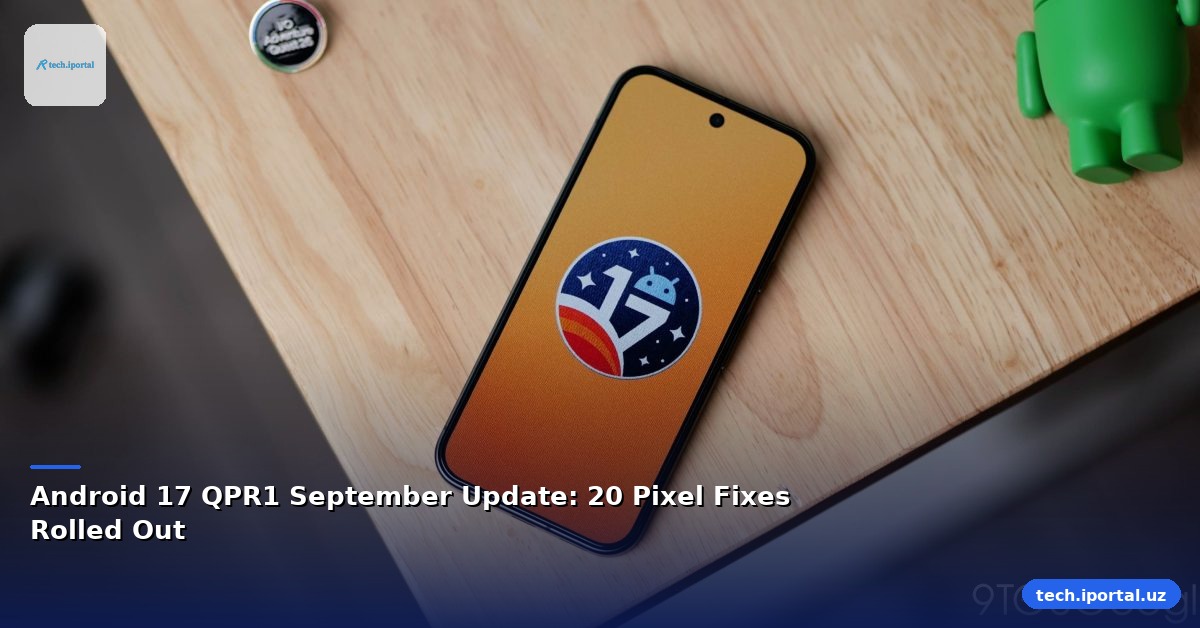
Android 17 QPR1, the September 2026 security patch, has officially started rolling out to Google’s Pixel lineup. The update, identified by build CP3A.260905.009, addresses a broad spectrum of issues—from system stability to user‑interface glitches—while tightening security across the board.
What the Update Covers
The OTA is now available for sideloading on a global build, meaning users can manually install the update without waiting for carrier or carrier‑specific releases. The update targets every Pixel model released since the Pixel 6, including the newer 8, 9, 10, and 11 families, as well as the Tablet, Fold, and 6a/7a/8a/9a/10a variants.
Key areas addressed in the patch include:
- Apps – crash fixes for Google app and gaming apps
- Bluetooth – resolution of Wi‑Fi/Bluetooth enablement issues
- Camera – stability improvements preventing system crashes
- Display & Graphics – reduced lag and temperature spikes during intensive tasks
- Framework – fixes for app install/uninstall crashes and database performance
- System – on‑device intelligence and dark mode compatibility
- Telephony – connectivity and service interruption fixes
- User Interface – media controls, external display handling, notifications, and wallpaper effects
Security Highlights
Security remains the update’s cornerstone. The September patch resolves 115 vulnerabilities dated 2026‑09‑01 and an additional 85 dated 2026‑09‑05. The dedicated Google Devices bulletin lists 110 more fixes, bringing the total to 240 security patches for the Pixel ecosystem.
These patches cover a range of threat vectors, from privilege escalation and data leakage to denial‑of‑service attacks. By addressing these vulnerabilities, the update enhances the overall resilience of Android 17 devices against emerging threats.
Pixel‑Specific Bug Fixes
While the security fixes apply broadly, the QPR1 update also includes 20 Pixel‑specific corrections. These are grouped by component:
Apps
- Crash in Google app under certain conditions resolved for Pixel 6, 6 Pro, 6a, 7, 7 Pro, 7a, 8, 8 Pro, 8a, Fold, Tablet, 9, 9 Pro, 9 Pro XL, 9 Pro Fold, 9a, 10, 10 Pro, 10 Pro XL, 10 Pro Fold, 10a.
- Gaming app crash on launch fixed for Pixel Tablet.
Bluetooth
- Issue preventing Wi‑Fi or Bluetooth enablement under specific conditions fixed for Pixel Tablet.
Camera
- Stability issue causing system crash addressed for Pixel Tablet.
Display & Graphics
- Game lag, choppy framerates, and overheating during graphics‑intensive tasks resolved for Pixel 6, 6 Pro, 6a, 7, 7 Pro, 7a, 8, 8 Pro, 8a, Fold, Tablet, 9, 9 Pro, 9 Pro XL, 9 Pro Fold, 9a, 10, 10 Pro, 10 Pro XL, 10 Pro Fold, 10a.
Framework
- System crash during app install/uninstall fixed for Pixel Tablet.
- Android System Intelligence unresponsiveness due to slow database operations resolved for Pixel 6, 6 Pro, 6a, 7, 7 Pro, 7a, 8, 8 Pro, 8a, Fold, Tablet, 9, 9 Pro, 9 Pro XL, 9 Pro Fold, 9a, 10, 10 Pro, 10 Pro XL, 10 Pro Fold, 10a.
- Magnification shortcut causing reverse swipe direction fixed for Pixel 6, 6 Pro, 6a, 7, 7 Pro, 7a, 8, 8 Pro, 8a, Fold, Tablet, 9, 9 Pro, 9 Pro XL, 9 Pro Fold, 9a, 10, 10 Pro, 10 Pro XL, 10 Pro Fold, 10a.
- Home screen widgets disappearing after restart fixed for Pixel 6, 6 Pro, 6a, 7, 7 Pro, 7a, 8, 8 Pro, 8a, Fold, Tablet, 9, 9 Pro, 9 Pro XL, 9 Pro Fold, 9a, 10, 10 Pro, 10 Pro XL, 10 Pro Fold, 10a.
System
- On‑device intelligence features stopping when force dark mode is enabled fixed for Pixel 6, 6 Pro, 6a, 7, 7 Pro, 7a, 8, 8 Pro, 8a, Fold, Tablet, 9, 9 Pro, 9 Pro XL, 9 Pro Fold, 9a, 10, 10 Pro, 10 Pro XL, 10 Pro Fold, 10a.
Telephony
- Connectivity issues and unexpected service interruptions fixed for Pixel 6, 6 Pro, 6a, 7, 7 Pro, 7a, 8, 8 Pro, 8a, Fold, Tablet, 9, 9 Pro, 9 Pro XL, 9 Pro Fold, 9a, 10, 10 Pro, 10 Pro XL, 10 Pro Fold, 10a.
User Interface
- Media player controls lacking surface animations fixed for Pixel 6, 6 Pro, 6a, 7, 7 Pro, 7a, 8, 8 Pro, 8a, Fold, Tablet, 9, 9 Pro, 9 Pro XL, 9 Pro Fold, 9a, 10, 10 Pro, 10 Pro XL, 10 Pro Fold, 10a.
- Crash when connecting/disconnecting external display resolved for Pixel 6, 6 Pro, 6a, 7, 7 Pro, 7a, 8, 8 Pro, 8a, Fold, Tablet, 9, 9 Pro, 9 Pro XL, 9 Pro Fold, 9a, 10, 10 Pro, 10 Pro XL, 10 Pro Fold, 10a.
- System crash on tapping a folder in Overview mode fixed for Pixel 6, 6 Pro, 6a, 7, 7 Pro, 7a, 8, 8 Pro, 8a, Fold, Tablet, 9, 9 Pro, 9 Pro XL, 9 Pro Fold, 9a, 10, 10 Pro, 10 Pro XL, 10 Pro Fold, 10a.
- Notifications not swiped away issue resolved for Pixel 6, 6 Pro, 6a, 7, 7 Pro, 7a, 8, 8 Pro, 8a, Fold, Tablet, 9, 9 Pro, 9 Pro XL, 9 Pro Fold, 9a, 10, 10 Pro, 10 Pro XL, 10 Pro Fold, 10a.
- Partial cut‑off of notifications on lock screen fixed for Pixel 6, 6 Pro, 6a, 7, 7 Pro, 7a, 8, 8 Pro, 8a, Fold, Tablet, 9, 9 Pro, 9 Pro XL, 9 Pro Fold, 9a, 10, 10 Pro, 10 Pro XL, 10 Pro Fold, 10a.
- ‘Shape’ live wallpaper effect failing to separate subject from background fixed for Pixel 6, 6 Pro, 6a, 7, 7 Pro, 7a, 8, 8 Pro, 8a, Fold, Tablet, 9, 9 Pro, 9 Pro XL, 9 Pro Fold, 9a, 10, 10 Pro, 10 Pro XL, 10 Pro Fold, 10a.
- Empty notification shade message not updating language after system language change fixed for Pixel 6, 6 Pro, 6a, 7, 7 Pro, 7a, 8, 8 Pro, 8a, Fold, Tablet, 9, 9 Pro, 9 Pro XL, 9 Pro Fold, 9a, 10, 10 Pro, 10 Pro XL, 10 Pro Fold, 10a.
- Text overlapping in notifications under certain conditions resolved for Pixel 6, 6 Pro, 6a, 7, 7 Pro, 7a, 8, 8 Pro, 8a, Fold, Tablet, 9, 9 Pro, 9 Pro XL, 9 Pro Fold, 9a, 10, 10 Pro, 10 Pro XL, 10 Pro Fold, 10a.
- Performance improvement and reduced lag when opening Internet panel from quick settings shade fixed for Pixel 6, 6 Pro, 6a, 7, 7 Pro, 7a, 8, 8 Pro, 8a, Fold, Tablet, 9, 9 Pro, 9 Pro XL, 9 Pro Fold, 9a, 10, 10 Pro, 10 Pro XL, 10 Pro Fold, 10a.
Impact on Users
For everyday users, the update translates into a smoother, more reliable experience. The elimination of app crashes, especially in Google and gaming apps, means fewer interruptions during work or leisure. The camera stability fix is a welcome relief for photographers who rely on the Pixel’s flagship imaging pipeline.
From a security standpoint, the patch closes a significant number of vulnerabilities that could have been exploited by malicious actors. The inclusion of 240 total fixes—115 from the September patch and 110 from the dedicated bulletin—underscores Google’s commitment to maintaining a secure ecosystem.
How to Update
Users can check for the OTA by navigating to Settings > System > Advanced > System update. If the update is available, the device will prompt for download and installation. For those who prefer manual installation, the global build CP3A.260905.009 can be sideloaded via ADB or a custom recovery.
Future Outlook
Android 17’s QPR1 update sets a precedent for rapid, comprehensive patching. With the release cadence tightening, users can expect more frequent security updates that address emerging threats promptly. The focus on Pixel‑specific bug fixes also signals a shift toward more granular, device‑level optimization.
Looking ahead, the next QPR release will likely tackle new vulnerabilities discovered in the interim and may introduce additional performance tweaks, especially in the graphics and AI subsystems that are becoming increasingly central to the Android experience.
Conclusion
The Android 17 QPR1 September update is a robust blend of security hardening and user‑experience refinement. By addressing 20 Pixel‑specific issues and delivering 240 security patches, Google reinforces its pledge to keep the Pixel ecosystem safe and smooth. Users are encouraged to install the update promptly to benefit from the latest protections and performance gains.
For full details, refer to the original report on 9to5Google.